
An AI Messenger that answers in place of your devs — grounded in your repo and your data.
Your tier-1 support, your CS and your non-tech teammates get sourced answers straight from the code — instead of pinging developers. And the Help Center writes itself from the same source of truth.
Try the beta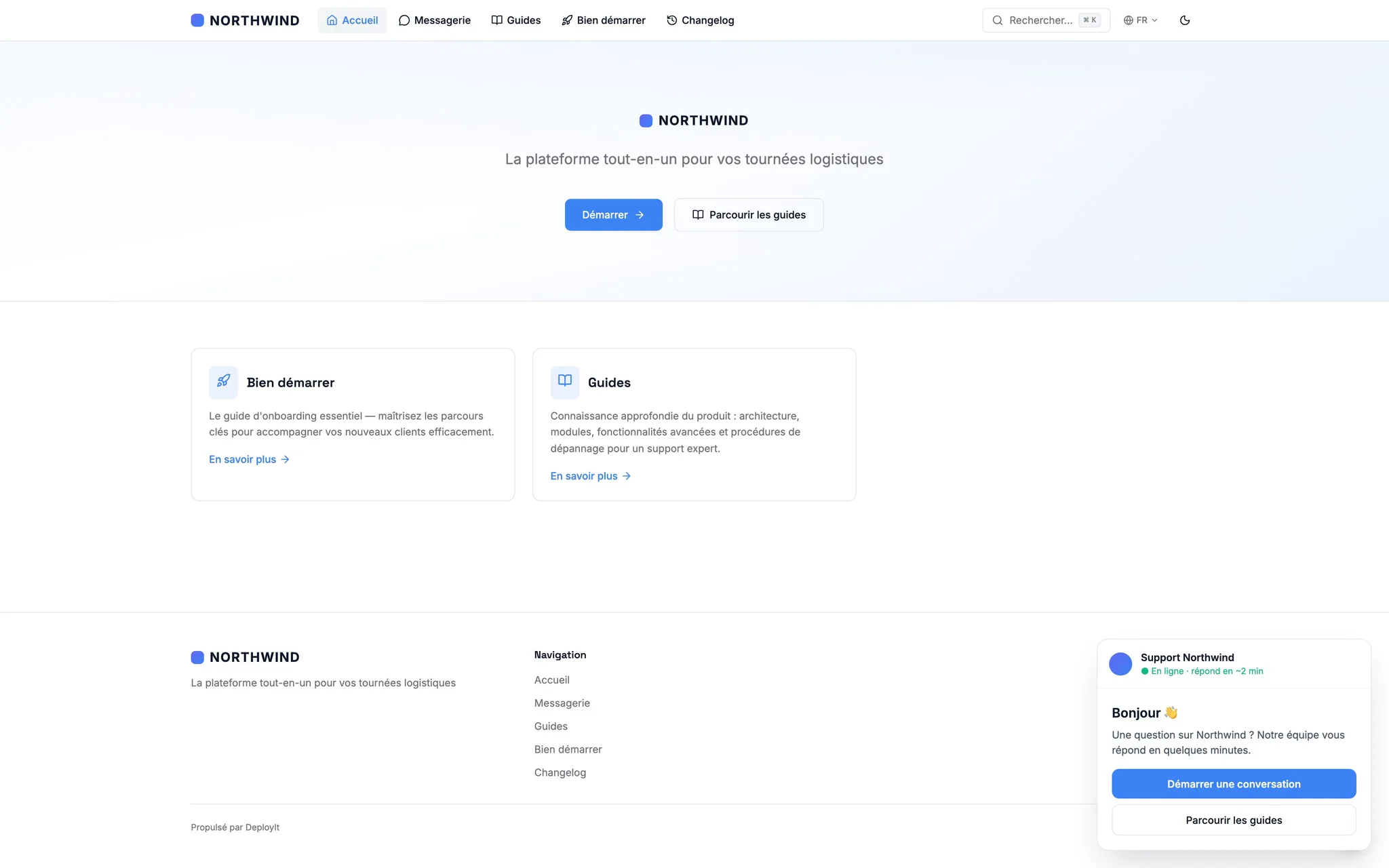
Module in beta, free during early access. It will become a paid add-on when paid plans arrive in January 2027. If you only want to steer your dev team, you can safely ignore it.
The Messenger we wished we had for our own tier-1 support.
Today, your tier-1 and ops teams ping your devs fifty times a day: "is this a bug?", "why is this user seeing this?", "how does it work in this specific case?". DeployIt answers in their place, by going into the code and the data.
It searches the code, not a wiki
When a tier-1 agent asks a question, the Messenger opens your repo: grep, file reads, tree exploration, recent commit lookups. It understands your product like a dev who just joined the team — not like a chatbot reciting a FAQ.
It looks at the user's actual data
Via MCP server, the Messenger can query the data of the user who triggered the question: their project, their state, their settings. It mentally replays how the code handles this user — and identifies the real issue.
It separates real bugs from expected behaviour
If it's a bug, it says so, and drafts the ticket for engineering with exact context (file, line, data, repro steps). If it's expected, it explains it to tier-1 — who can answer the end user directly, without bothering engineering.
It speaks the language of non-tech teams
Your tier-1, ops, account managers don't have access to the code and shouldn't have to learn it. The Messenger answers them in business terms — not classes, tables or webhooks.
Your devs ship fast. Your Help Center is running behind.
The faster engineering moves, the wider the gap between what the product actually does and what your users (and your support team) know about it.
Docs that are always behind
Classic wikis and doc tools all rely on humans writing after the fact. As a result, public docs, guides and changelog are always one release-cycle behind reality.
Support burning out on technical questions
A large share of tickets are questions whose answer lives in the code or in some hidden README. CS spends its day forwarding to devs — who don't have time.
AI chatbots that hallucinate
Intercom Fin, Zendesk AI: trained on a wiki you have to write. Always a release behind, never sourced. Your users feel immediately that the agent has no idea what it's talking about.
One module, two superpowers — both wired to your code.
A Help Center that rewrites itself. An AI Messenger that knows your codebase better than anyone. Both wired to the same source of truth: your repo.
Auto-generated Help Center
A public product site that rewrites itself at every commit.
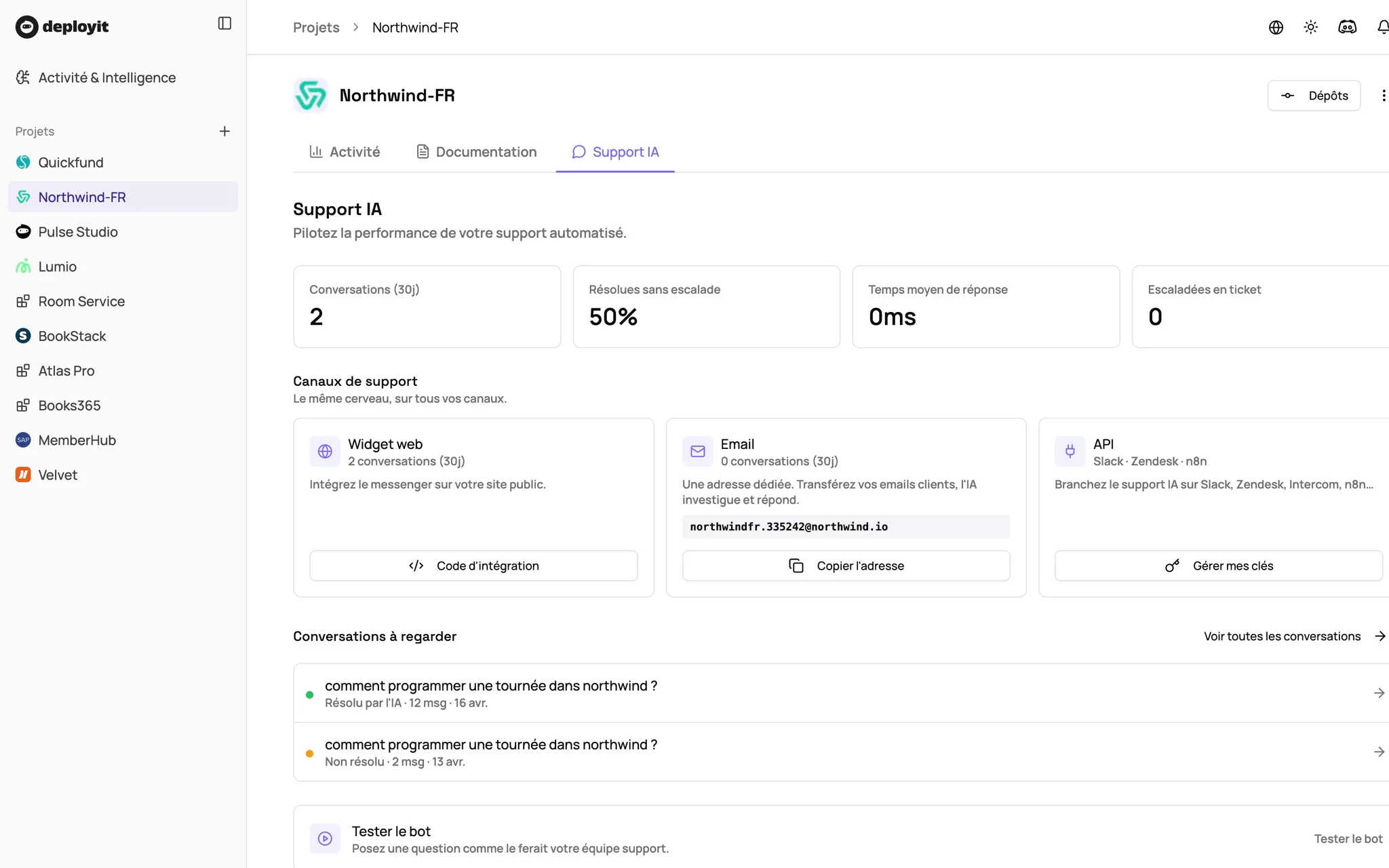
Landing, API docs, guides, FAQ, changelog, searchable help center — generated from your code, README and commit history. Branded to your identity, custom domain, multilingual.
- Landing, API docs, guides, FAQ, changelog
- Branded: logo, colors, font, custom domain
- Searchable, embeddable help center
- Automatic rewrite at every merge
- Human validation or auto-publish
AI Messenger grounded in code
A junior dev that answers your tier-1 team's questions in your place.
A chatbot embedded in the Help Center that doesn't just search the docs. It reads your source code, looks at the data of the user concerned, figures out whether it's a bug or expected behaviour — and drafts a ready-to-send ticket if engineering needs to take it.
- Live code exploration via tool calls (grep, read, glob)
- Contextual reading of the user's data via MCP
- Automatic triage: real bug vs expected behaviour
- Structured ticket generated when a real bug is found
- Answers written for non-tech, no jargon
Everything you want from a modern Help Center — plus the agent that answers.
Branded landing page
Hero, features, pricing, testimonials — drafts generated from your README, code and recent commits.
API documentation
OpenAPI / GraphQL / SDK reference extracted directly from your source. No more lying API docs.
User guides
Onboarding, how-tos, troubleshooting written by AI agents from your code and past tickets.
Searchable help center
Semantic search, branded, embeddable in your app with a single line of JS.
Auto-generated changelog
User-friendly, grouped by feature, from your merges. RSS, email, Slack for your users.
Custom domain & multilingual
docs.yourcompany.com in one click. SSL, CDN, SEO. 9 languages available.
Messenger grounded in code
The agent doesn't recite a FAQ: it greps, it reads, it understands. Citations to back every answer.
User-data lookups
The Messenger consults (via MCP) the data of the user asking the question to qualify the exact case.
Structured ticket generation
If it's a real bug, the Messenger drafts the ticket — file, line, repro, data context.
Contextual escalation
When the agent hesitates, it routes to the right human with a full summary. Zero repetition for the user.
Deflection & satisfaction KPIs
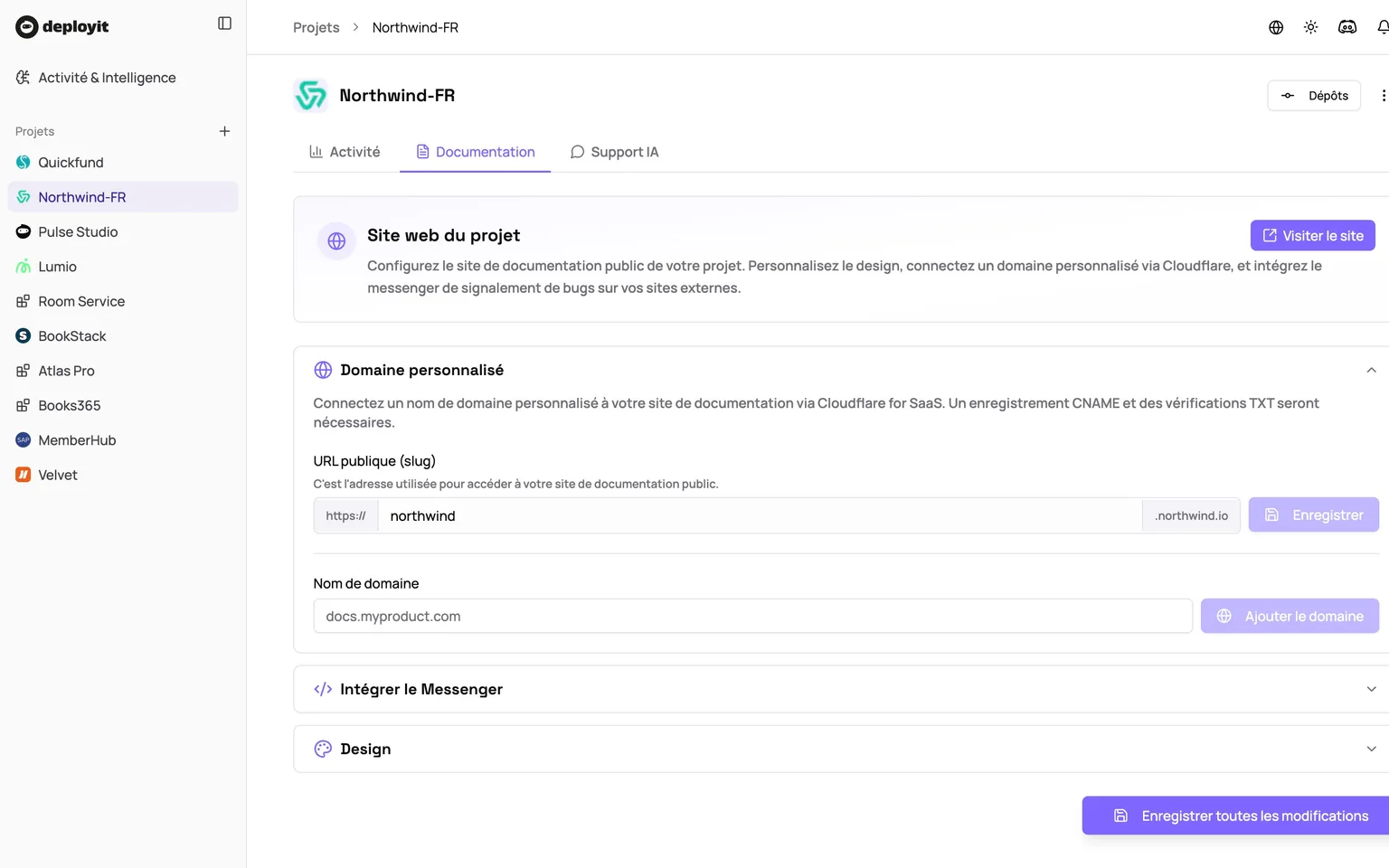
Dashboard tracking absorbed-question rate, response time, escalation rate. Improve the system over time.
Multi-channel
Web widget on your site/app, email channel, public API, integrations with Zendesk, Front, Crisp, Intercom.
From OAuth to first auto-qualified ticket: under an hour.
No document to upload, no training set, no migration from Notion. You keep your repo, DeployIt handles the rest.
1. Connect your repo
OAuth GitHub / GitLab / Bitbucket, read-only. No write access requested.
2. DeployIt generates your site
Landing, API docs, guides, FAQ, changelog: drafted from your code and commits. Human validation or auto-publish, your call.
3. The Messenger goes live
The AI agent is active across the site, able to explore code and read data via MCP. No indexing wait.
4. Deploy on every channel
docs.yourcompany.com, embed widget in your app, email channel, helpdesk integration. Your tier-1 and users ask wherever it suits them.
Your devs stop being pinged fifty times a day
Most tier-1-to-dev questions are technical questions whose answer is in the code. The Messenger absorbs them, qualifies real bugs, and only escalates to engineering what truly deserves their attention.
- 70% of tier-1 dev pings absorbed — design target
- Your devs only receive qualified tickets
- No more Slack interrupted every 10 minutes
Zero hallucination — every answer is sourced from the code
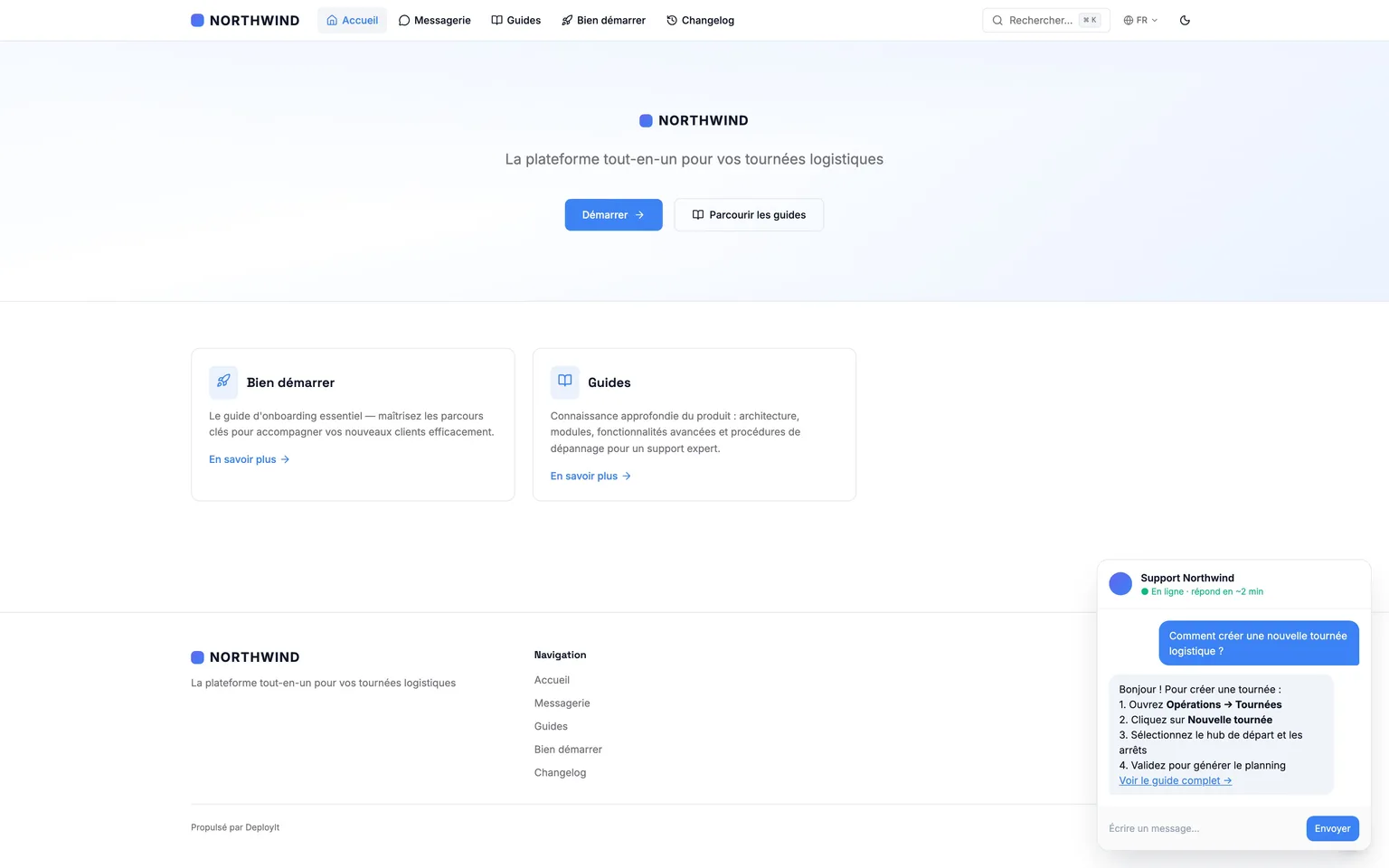
The agent doesn't know everything. But when it answers, it cites the exact file and line that justifies its answer. Hallucinations divided by 10 vs a chatbot trained on a wiki, because the Messenger refuses to answer without a verifiable source.
- file:line citations on every answer
- Escalates instead of inventing when info isn't found
- Hallucinations ÷10 vs a generic AI chatbot
Your tier-1 focuses on high-value conversations
The Messenger doesn't replace your humans: it offloads the questions whose answer lives somewhere already. Your CS teams stop playing operator between users and the code, and get back to their real job: looking after the accounts that matter.
- Repetitive technical questions absorbed self-service
- Your tier-1 free again for the real topics
- Escalated tickets enriched with context the agent already collected
Your tier-1 and CS become autonomous
Without code access, your support teams hit their ceiling on technical questions. With DeployIt they have a junior dev in their pocket, explaining things in business terms and giving them what they need to answer the end user.
- Answers in non-tech language
- Code citations to back them up
- Tier-1 ramp-up cut by weeks
Who it's for
Teams with a non-trivial product to explain, and a tier-1 support that's saturating.
B2B SaaS with tier-1 support
Your tier-1 handles 80% of the volume but has to escalate the moment it gets technical. DeployIt gives them the autonomy they were missing.
Dev tools & APIs
Your users are technical and demanding. Give them sourced answers with code snippets, self-service.
Product teams under 30
You have neither a tech writer nor a docs team. DeployIt generates and maintains your public site in your place.
Multi-tenant platforms
Your customers each have a different use case. The Messenger reads the user's data to give a contextual answer — not a generic one.
Frequently asked questions
It's in beta, so unreliable?
The module works. But we haven't locked the business model and we keep iterating on the Messenger engine. That's why it stays free for Pro accounts during the beta — and why we pulled it out of DeployIt's main pitch.
How is the Messenger actually different from Intercom Fin or Crisp AI?
Those tools rely on a wiki you have to write and maintain. DeployIt relies on your live source code. When a user asks "why did you remove dark mode?", the agent knows because it read commit a3f2d1c — not because a human took the time to update an article.
Can we really expect 40% of tickets resolved on their own?
That is the module's design target, not a measured statistic: the Messenger is in beta and we don't yet have enough track record to publish observed figures. The ~40% order of magnitude is an illustrative example — it corresponds to the questions whose answer already lives in the code, docs or data. Your tier-1 and your devs focus on the rest: real conversations, real bugs.
How exactly does the Messenger explore the code?
Via tool calls: grep_code, read_file, glob_files, get_file_summary, get_recent_commits. For every question, it decides which queries to fire, reads the results, and reasons over what it finds before answering. It has read-only access to your repo.
Can the Messenger really read user data?
If you plug in your MCP server, yes. It can query data related to the user who asked the question, within the permissions you grant. That's what lets it qualify cases precisely — not just answer in a vacuum.
How do you avoid hallucinations?
The Messenger is strictly constrained to your code, your data and your approved sources. When it doesn't have the answer, it escalates and drafts a ticket — it doesn't invent. Every answer cites the exact file that justifies it.
What languages are supported?
The public site and the Messenger answer in French, English, Spanish, German, Italian, Portuguese, Japanese, Korean and Chinese. Auto-detected from the user.
Which helpdesk integrations?
Native Zendesk, Front, Crisp, Intercom. Public API for the rest. No migration needed — the agent lives in your current stack.
Who validates what gets published?
You do. Human validation mode by default: every draft goes through a queue you manage. Auto-publish mode available for teams who want zero friction.
Is my data isolated from other customers?
Yes, strictly. Each project has its own index and its own Messenger. No cross-customer learning. And we never train models on your code — on any plan.
How will it be billed after beta?
Likely a Pro add-on, priced on resolved-conversation volume + number of custom domains. Accounts that activate the beta today will get a preferred rate at GA.
The same expert, exposed to your agents
The expert that answers your team in the Messenger can also answer your AI agents: Intercom Fin, HubSpot Breeze, Claude or Cursor query your project's MCP server and get product answers derived from the live code — up to date at every deploy.
Discover the MCP serverGo deeper
Why written knowledge drifts, and how release notes and a help center stay true when they are derived from the code.
Docs drift: why does every knowledge base end up outdated?
The four forms of drift (silent change, half-truth, ghost, blind spot), what they cost humans and agents, and the only way out that holds: derive the knowledge from the code.
Read the articleRelease notes your customers actually read
Before/after on one release: why the reformatted git log fails, and how impact, symptom vocabulary and what-to-do come out of the diffs rather than the commit messages.
Read the articleRelease notes for multiple audiences, one source
Customer changelog, internal note, support answers: stop rewriting the same release three times, and derive every view from the git history of your product.
Read the article10 minutes now. The dashboard tonight, your first report on Monday. You decide.
Free plan, no credit card. Read-only. No action required from your team.
Free plan · No CC · Read-only · Hosted in EU